
VoM features
Every service and feature your business needs to run its accounting from start to finish
See what VoM does, and how each feature fits the way your business already works
Sales and collection
10 entries
- Keep your customers with their national addresses and VAT numbers, or import them from an Excel sheet in one goUnlimited
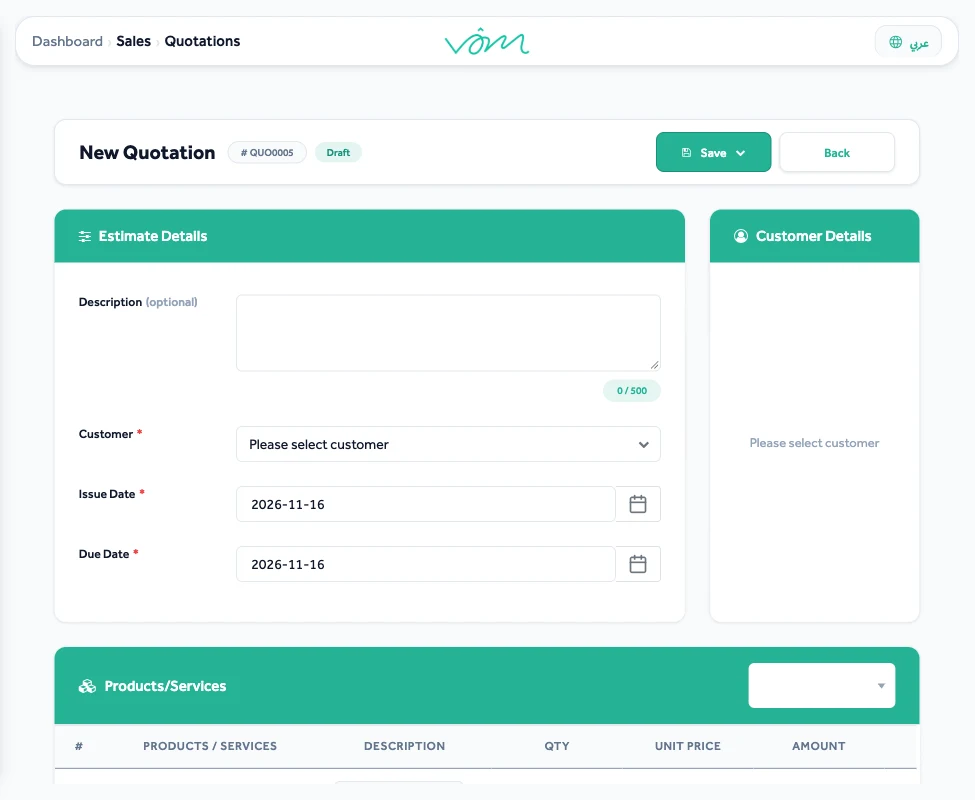
- Write a quotation, then turn it into a proforma or a sales invoice without retyping it*
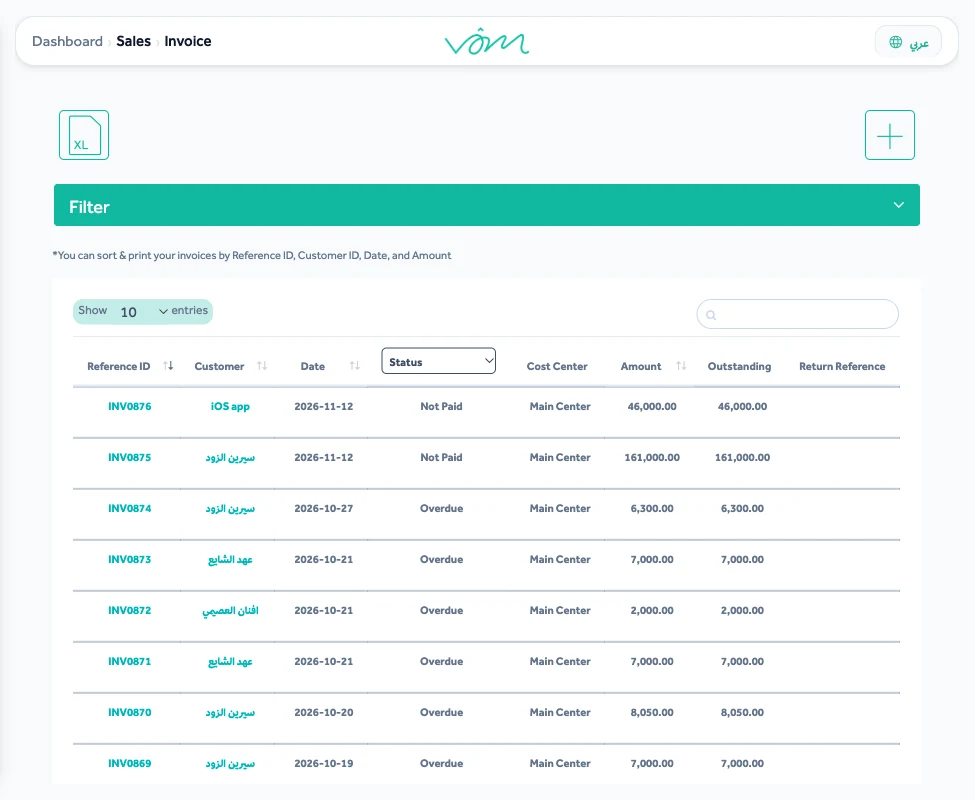
- Issue tax invoices and simplified tax invoices, or plain sales invoices if you are not VAT-registered*Unlimited
- Correct an issued invoice with a credit or debit note linked to it
- Record a receipt and split it across several invoices; whatever is left stays on the receipt
- Repeat an invoice automatically every day, week, month or year, and pause it whenever you like
- Email the document, or share it on WhatsApp with a link that opens its PDF
- Add a VoM Pay link to the invoice, so your customer pays by mada, Visa, Mastercard or Apple Pay
- When a customer pays through the link, the receipt and its journal entry are created for you
- Follow each invoice's status (paid, due or overdue), with an in-app reminder when it falls due
Attachment 1 of 2
E-invoicing (ZATCA)
10 entries
- Link your business to the Fatoora platform for Phase 2 in one click
- Tax invoices are cleared by ZATCA and simplified invoices reported to it, automatically when you save
- Credit and debit notes go to ZATCA the same way
- If a submission fails, VoM retries on its own, and you can resend a batch of invoices in one click
- Every document shows its ZATCA status: reported, reported with warnings, processing or failed
- ZATCA's error messages are explained in plain Arabic and English, each with how to fix it
- A dashboard alert counts the documents that need your attention
- Once a tax invoice is cleared, your customer receives it by email with the signed XML and a PDF
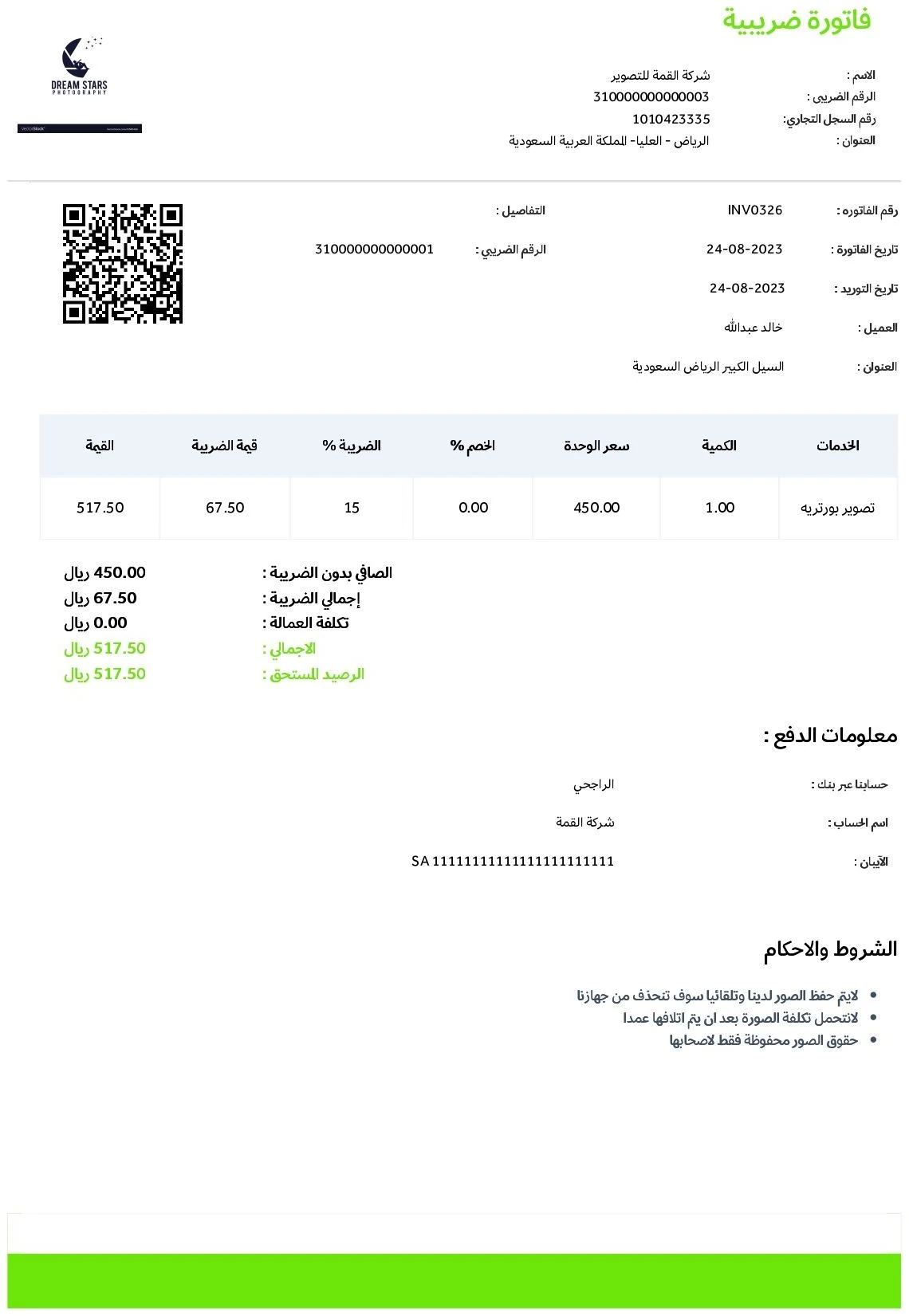
- A QR code on every printed invoice
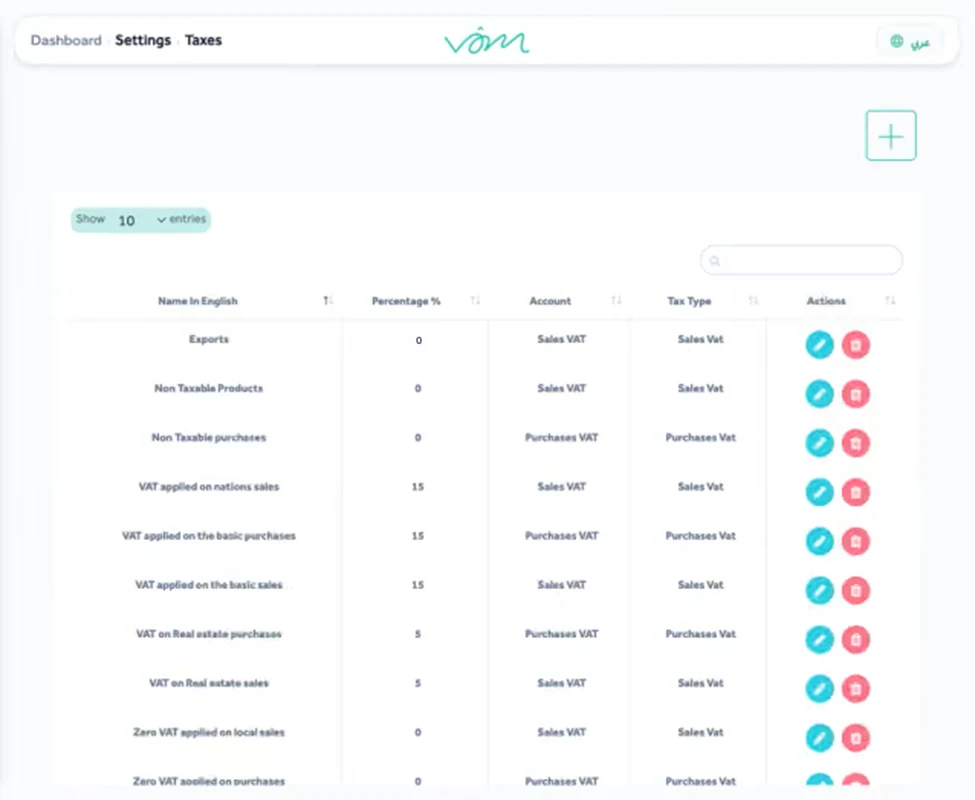
- Ready VAT categories: standard rate, zero-rated, exempt and out of scope, with ZATCA's exemption reasons
Attachment 1 of 2
Purchases and expenses
8 entries
- Keep your suppliers, or import them from ExcelUnlimited
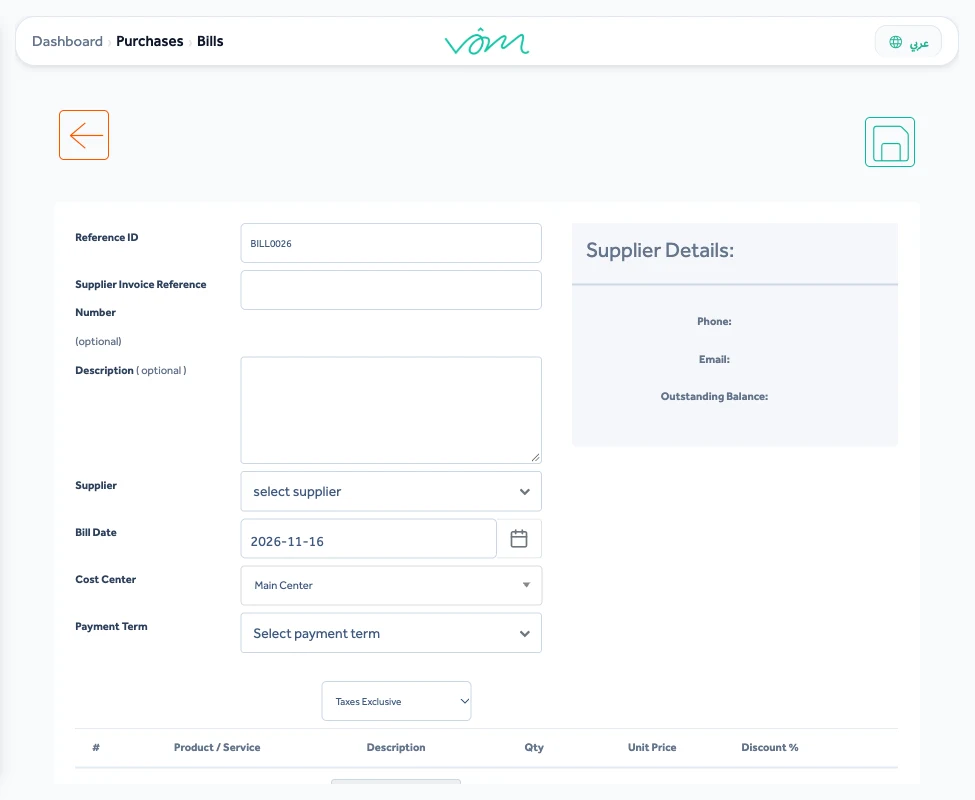
- Raise a purchase order, and convert it to a bill when the goods arrive*
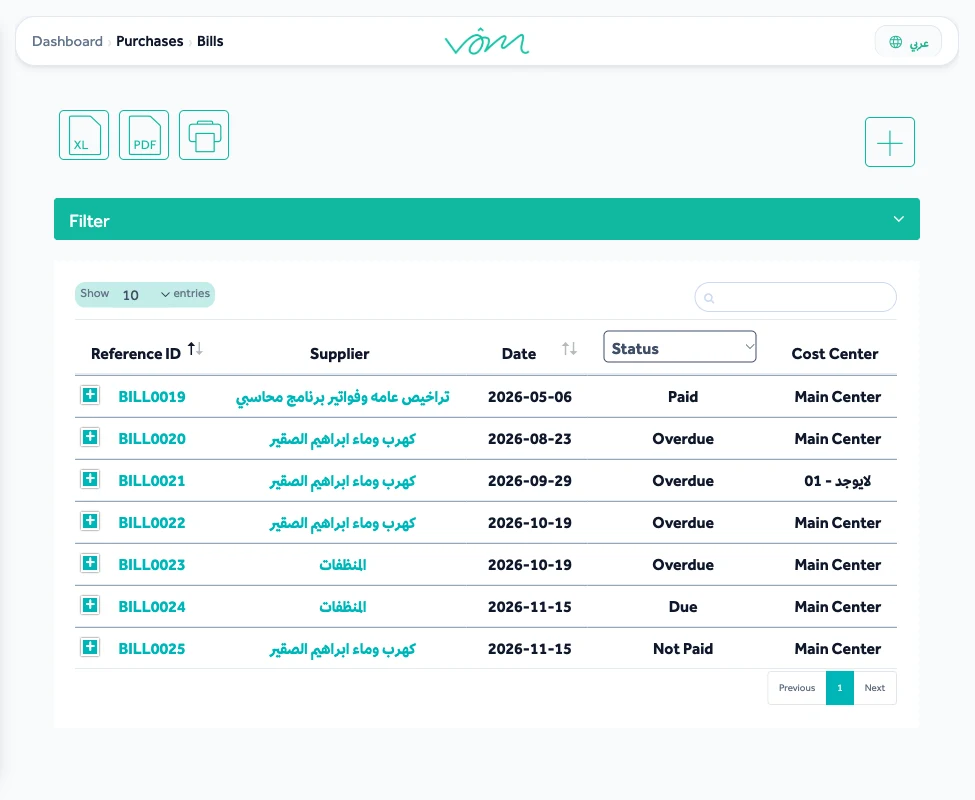
- Record a bill with product lines that add to your stock, or with account lines for costs that never touch it*
- Record a purchase return from the bill itself or on its own
- Book an expense to its account and cost centre, with its document attached*
- Pay suppliers with a payment voucher split across several bills
- An in-app reminder when a supplier's bill falls due
- Email a purchase order, or share it on WhatsApp
Attachment 1 of 2
Products and inventory
8 entries
- Add products, services and bundles, or import them from ExcelUnlimited
- Group products into categories and set their unitsUnlimited
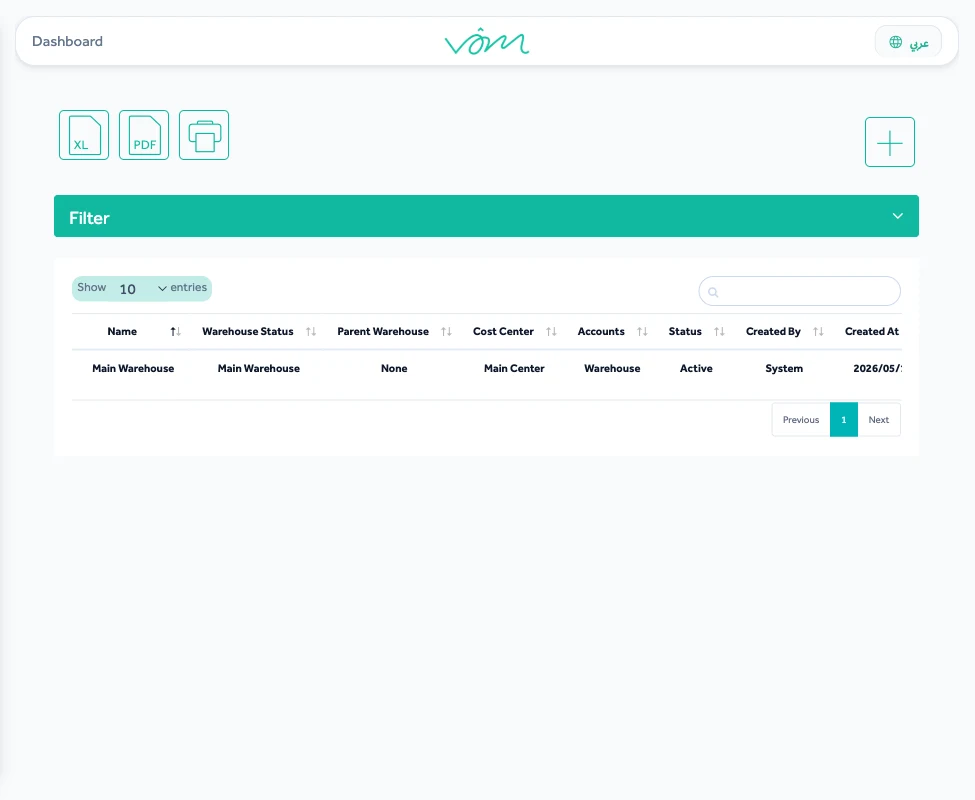
- Run several warehouses, main and sub, each with its own prices and minimum quantity
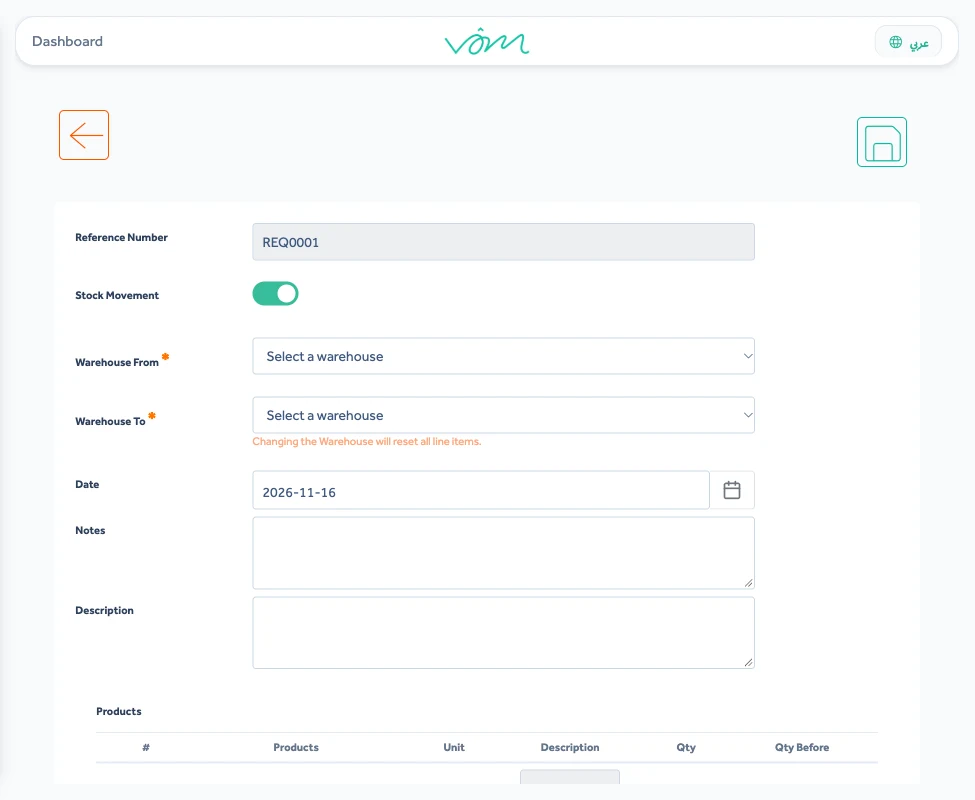
- Move stock with inbound, outbound and transfer requisitions between warehouses
- Stock is costed at the weighted average per warehouse, and cost of goods sold is posted with every sale
- A bundle deducts its components from stock when it sells
- A reminder when a quantity reaches the minimum you set
- Three inventory reports: inventory value, movement summary and warehouse transactions
Attachment 1 of 2
Accounting and fixed assets
13 entries
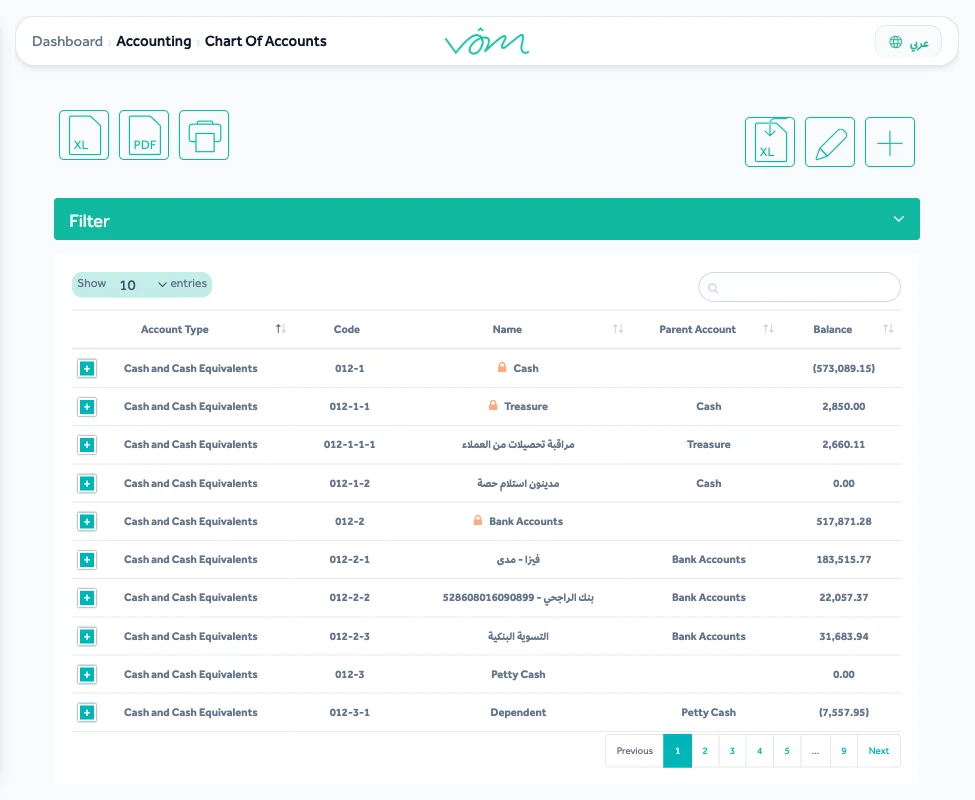
- Start from a ready chart of accounts, add to it and change it, and import opening balances from ExcelUnlimited
- Every document posts its own entry: invoices, receipts, returns, expenses, payroll and depreciation
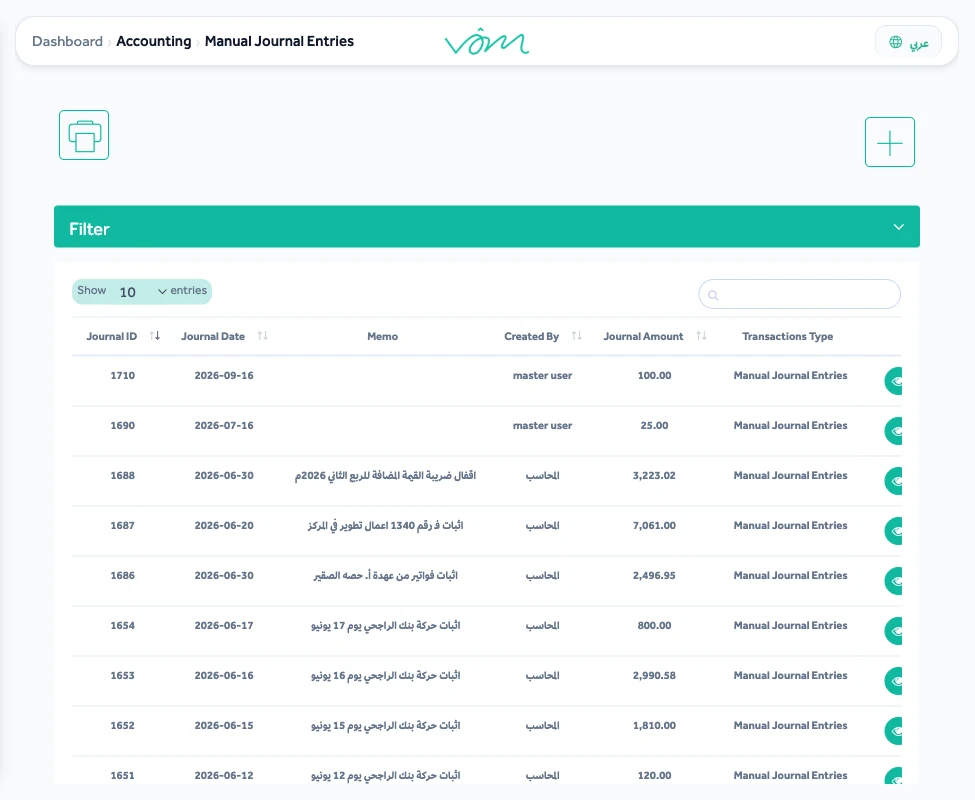
- Post manual journal entries with their documents attached, and copy or reverse an entry in one click*
- Repeat an entry automatically on its date
- Easy entries for a money transfer, added capital, owner drawings and cash dividends, with no debits and credits to work out*
- Add your branches and cost centres in one tree, and tag every transaction to them*Unlimited
- Upload a bank statement from Excel, and match each line to its entry or create the entry from it
- Reconcile any account's balance and post the difference
- Close the financial year and carry balances into the new one
- Switch on retention and it is applied to your transactions
- Register fixed assets, newly bought or already owned, at their book value*
- Automatic depreciation, straight-line or declining balance, or entered by hand*
- Upgrade an asset or sell it, and the entry is posted for you*
Attachment 1 of 2
Human resources
3 entries
- Register employees with their positions and salaries, and a position history for eachUnlimited
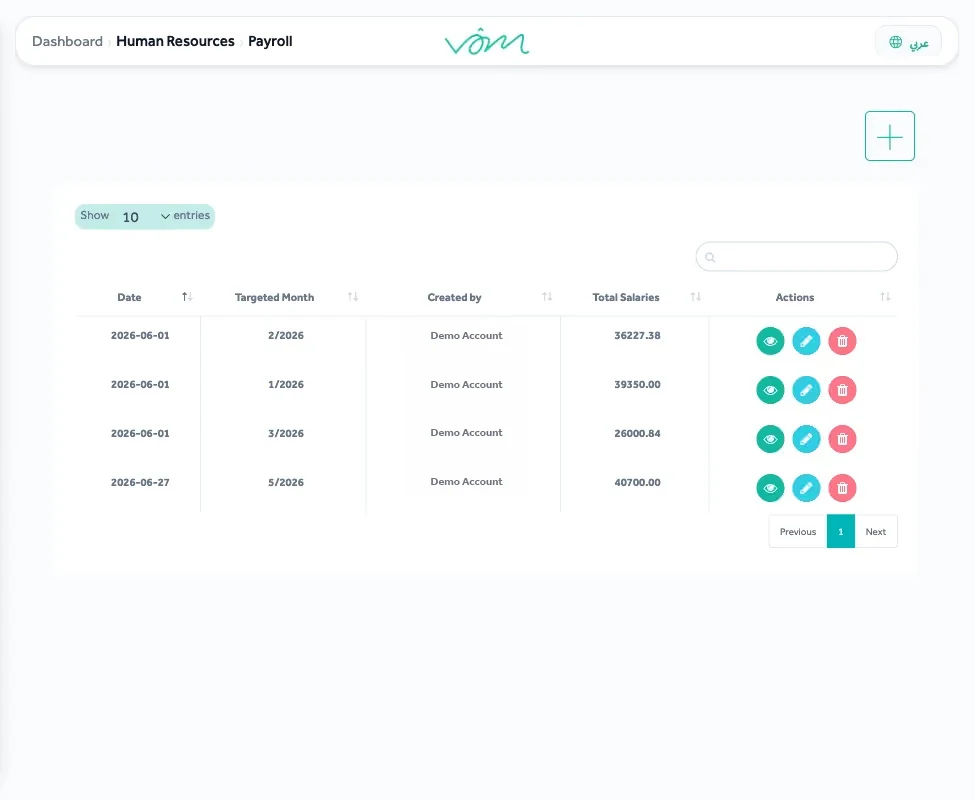
- Run the payroll each month, and it is posted to your books
- Add job positions, or import them from Excel
Document templates
7 entries
- 11 templates for invoices and quotations, two of them in Arabic and English together*
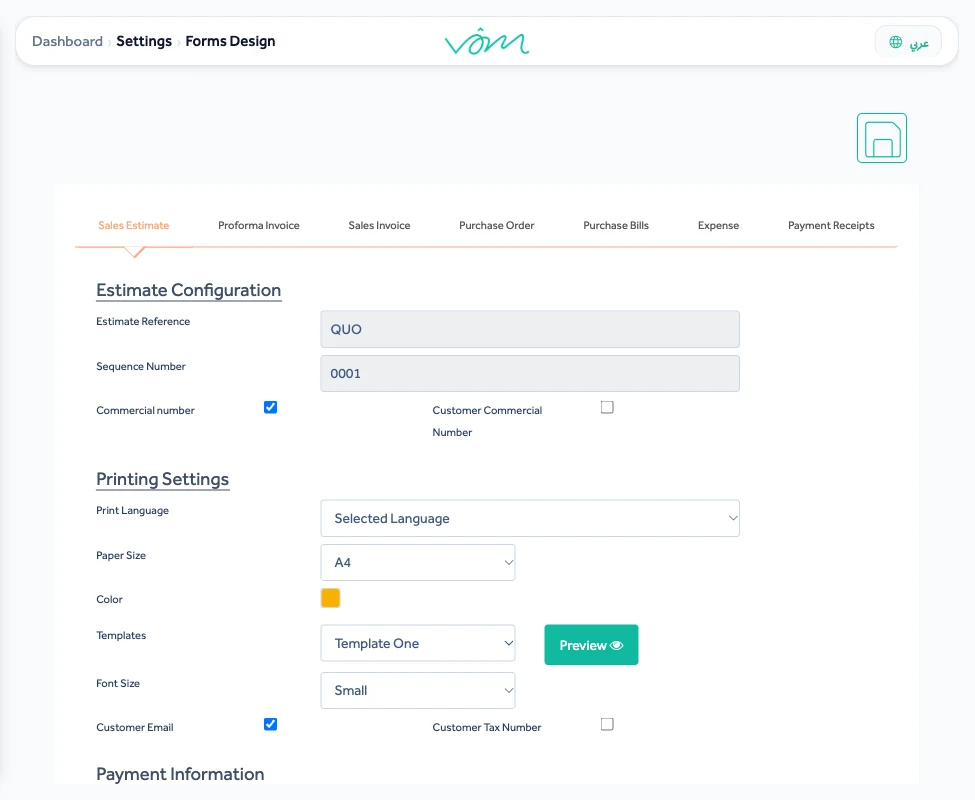
- Print a document in Arabic, in English or in both
- Choose the template's colour, font size and paper size: A4 or A5
- Choose which details your customer sees and which stay hidden
- Add your bank details: bank, account name and IBAN
- Add terms, conditions and notes, and the document's header and footer
- Set the numbering prefix and starting number for each kind of document
Reports
17 entries
Income statement
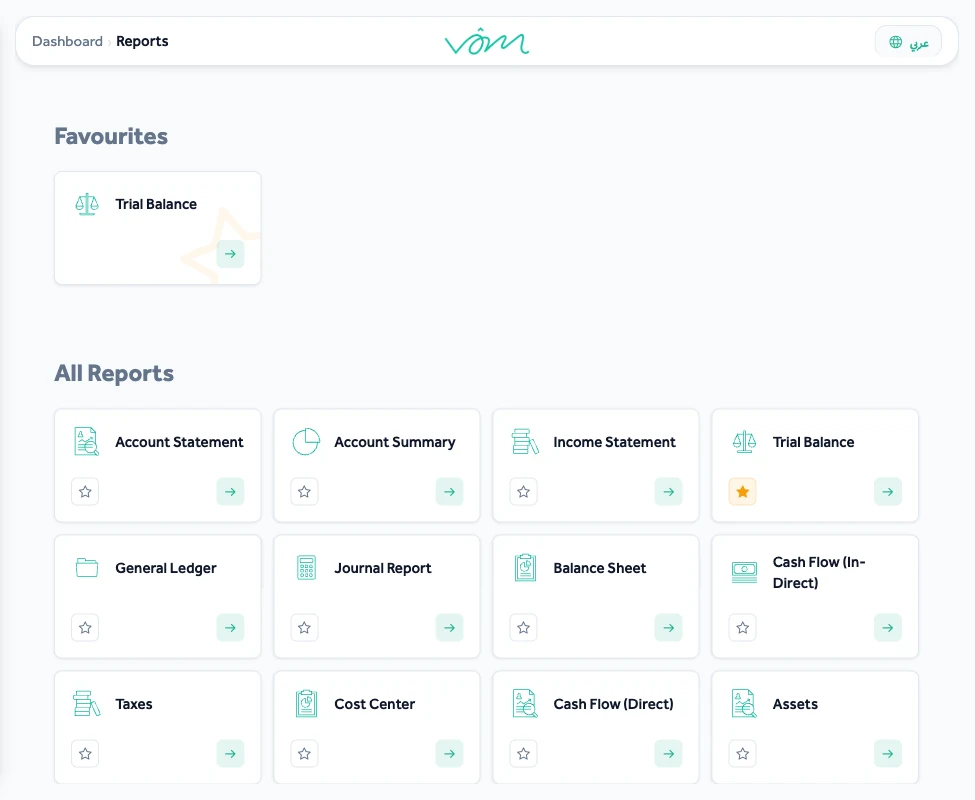
Run it for a financial year or any period you choose, compare it with the previous period or with earlier months, up to 11 of them, and export it to PDF or Excel
Trial balance
Each account's opening balance, movement for the period and closing balance, for a financial year or any period you choose, exported to PDF or Excel
VAT report
Sales VAT against purchases VAT at each rate, with adjustments and the net VAT payable, for any period you choose, exported to PDF or Excel
And fourteen more
- Account statement
- Account summary
- General ledger
- Journal entries
- Balance sheet
- Cash flow (direct)
- Cash flow (indirect)
- Cost centres
- Fixed assets
- Sales
- Purchases
- Sales VAT
- Purchases VAT
- Customer ageing
Dashboard
9 entries
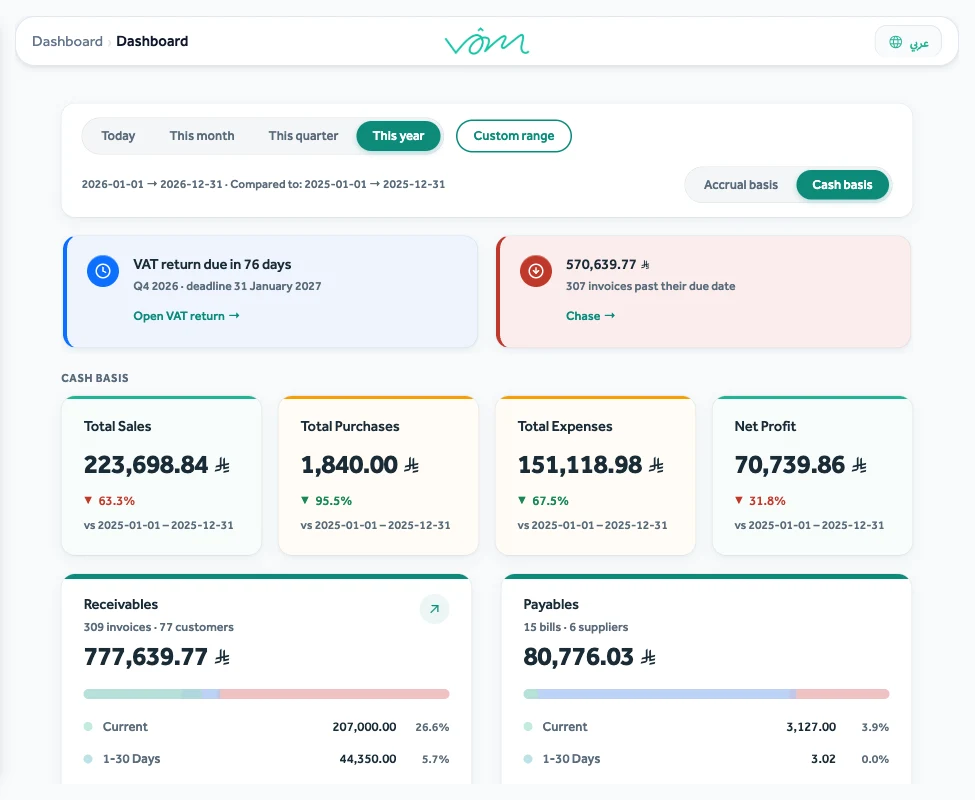
- Sales, purchases, expenses and net profit for today, the month, the quarter or the year, against the previous period
- Switch between accrual basis and cash basis
- What you are owed, what you owe, and your cash and VAT position, each on its own card
- "Chase these first": the overdue invoices most worth following up
- Your top customers, and where the money went
- Alerts for the VAT return date and for overdue invoices
- VoM AI (beta): a reading of your sales and purchases figures, and you can ask it about them
- A weekly email that sums up revenue, expenses, net profit and overdue receivables against the week before
- Choose which cards each user sees
Users and permissions
5 entries
- Add your staff as users; their login details reach them by email*
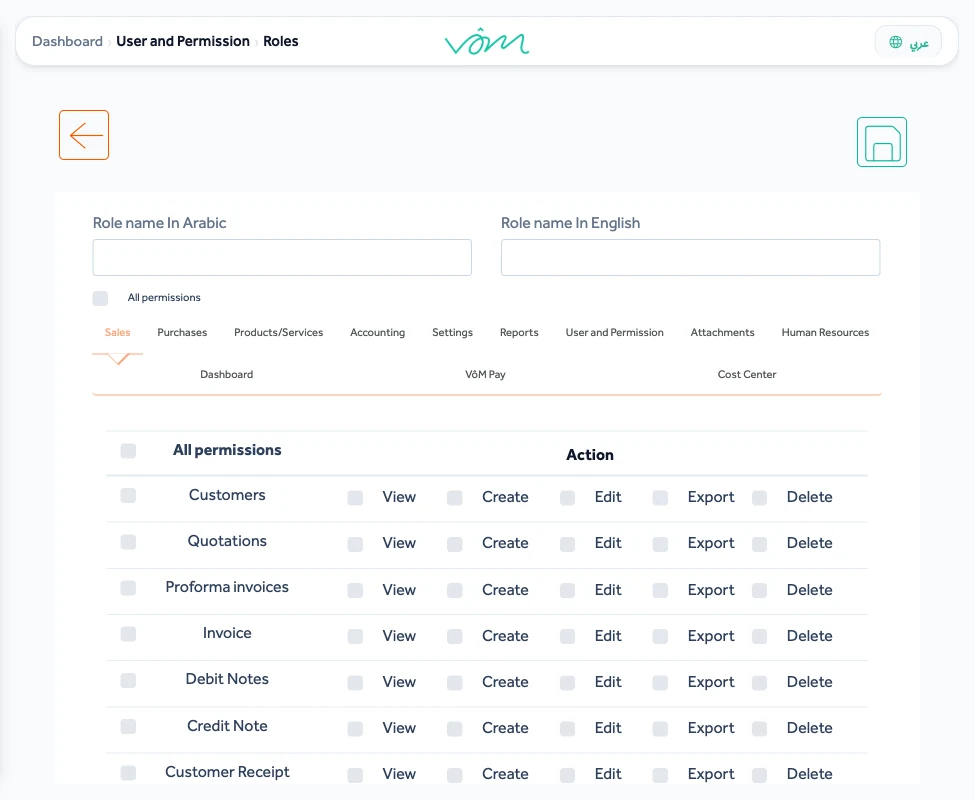
- Create roles and set, screen by screen, who can view, add, edit, delete and export
- Limit a user to one branch (cost centre) or one warehouse, so they see only what is theirs
- A separate permission for each report and each dashboard card
- An activity log for each user: what they added, edited, deleted and imported
Integrations
5 entries
Connect these apps to VoM and your sales and purchases sync on their own*
- FoodicsHow it connects
- ZidHow it connects
- MarnHow it connects
- LazyWaitHow it connects
- An open API with published docs, so any other system can connect to VoM* Developer docs (opens in a new tab)




Customer support
4 entries
- Full business support
- Guides and videos that show you how the system works
- Free onboarding
- Free updates, all the time
Talk to us
- +966 50 230 9337
- info@getvom.com
General features
7 entries
- The interface in Arabic and English, one click apart
- Export any list or report to Excel or PDF, or print it
- Attach documents to every transaction, and keep general attachments for each customer and supplier
- Custom fields you add to customers, suppliers, invoices, products and journal entries
- A notification centre for what is due, for stock and for recurring transactions
- An iOS app
- Refer a friend, and you each get a free month
Get the app on your phone now
These entries depend on your plan: how many documents, users and templates it includes, and whether it has fixed assets, integrations and the API. Compare plans